
Skip to content

WhatsApp API

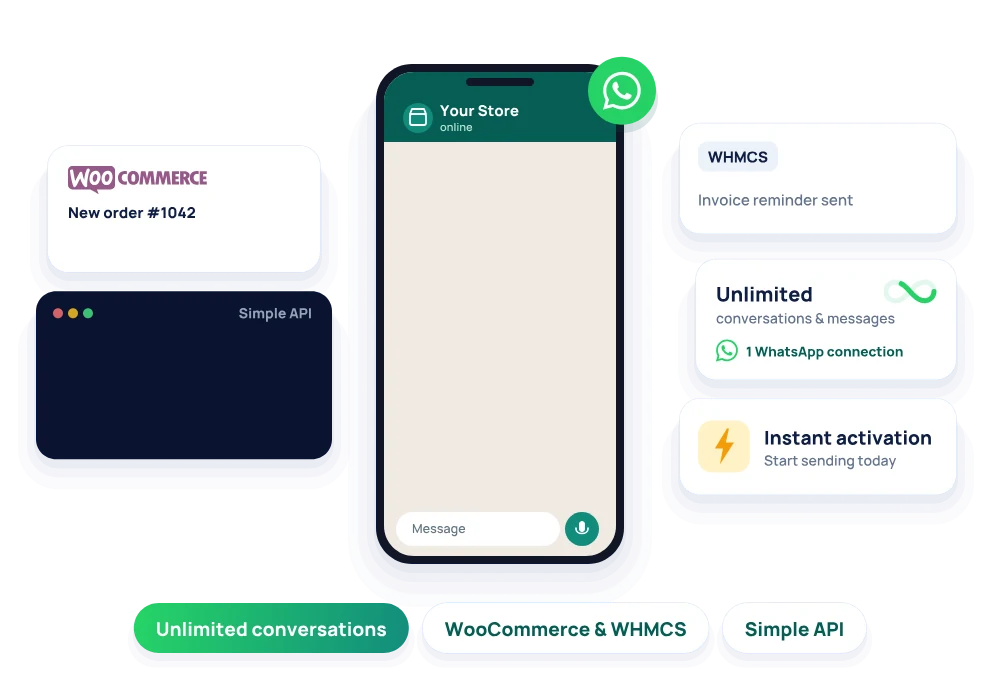
The HostGrap WhatsApp API lets your website, app or business system send and receive WhatsApp messages automatically, from LKR 1,000 a month. Every plan includes one WhatsApp connection with unlimited conversations and messages, WooCommerce and WHMCS integration, a simple API with documentation, and instant activation. Send order updates, support replies, images, voice messages, polls and statuses from your own tools.

Starting price
LKR 1,000/mo
Plans
1
Pay yearly
Save up to 25%

Choose your plan

WhatsApp API plans on WhatsApp API servers

Send WhatsApp messages from your website, app or system through a simple API.

WhatsApp API

Send WhatsApp messages from your website, app or system through a simple API.

LKR 1,000/mo

or LKR 9,000 a year

Choose WhatsApp API, billed monthly

LKR 9,000/yr

About LKR 750/mo, you save LKR 3,000 a year

Choose WhatsApp API, billed annually
  • 1 WhatsApp connections
  • Unlimited Conversations
  • Unlimited Messages
  • Included WooCommerce integration
  • Included WHMCS integration
  • Included API access
  • Included API documentation
  • Included Images
  • Included Voice messages
  • Included Polls
  • Post and delete Statuses
Compare every feature of the WhatsApp API plans
WhatsApp API: features by plan
FeatureWhatsApp API
Monthly priceLKR 1,000
Yearly priceLKR 9,000
WhatsApp connections 1
Conversations Unlimited
Messages Unlimited
WooCommerce integration Included
WHMCS integration Included
API access Included
API documentation Included
Activation Instant
Images Included
Voice messages Included
Links with custom preview Included
Polls Included
Statuses Post and delete

What is a WhatsApp API?

A WhatsApp API is a way for software to send and receive WhatsApp messages without a person typing them. Your website, online store, billing system or app sends a short request to the API, and the message arrives in your customer's WhatsApp chat a moment later.

Businesses use it to send order confirmations, delivery updates, invoices, payment reminders, appointment reminders and support replies on the app their customers already use every day. The HostGrap WhatsApp API is built for businesses in Sri Lanka and around the world, from small online shops to developers building their own systems.

How much does the WhatsApp API cost?

The HostGrap WhatsApp API costs LKR 1,000 a month, or LKR 9,000 a year, which saves you 25%. Prices are in Sri Lankan rupees.

Every plan includes one WhatsApp connection with unlimited conversations and unlimited messages, so you do not pay per message. You also get WooCommerce and WHMCS integration, the full API with documentation, and every messaging feature, including images, voice messages, link previews, polls and statuses.

Connect WhatsApp to WooCommerce, WHMCS and your own tools

You can connect WhatsApp to your online store, support desk or billing system without writing custom code. Sync orders from WooCommerce so customers get a WhatsApp message when they order and when their parcel ships, and send invoices and renewal reminders through WHMCS so fewer payments are missed.

With one API connection, your business can send and receive unlimited messages and keep every conversation in one place. The API also works with chatbots and with teams of several support agents, so messages can reach the right person.

Send a message
// Send a WhatsApp message
POST /api/v1/messages

{
  "to": "+94771234567",
  "type": "text",
  "message": "Your order has shipped!"
}

// Response
{
  "status": "sent",
  "message_id": "wamid.HBg..."
}

Send your first WhatsApp message in minutes

The API is made to be easy for developers. Clear endpoints let you send messages, manage contacts and handle incoming replies, and the documentation includes ready-to-use code examples, authentication guides and webhook setup, so your developers can add WhatsApp to any application without guesswork.

You can also send links with a custom preview, so a product page or an invoice link shows its own title and picture in the chat.

send-image.php
# Send a WhatsApp image
curl -X POST https://your-api-domain.com/api/send-image.php \
  -d "[email protected]" \
  -d "api_key=YOUR_API_KEY" \
  -d "phone=947XXXXXXXX" \
  -d "image_url=https://example.com/receipt.jpg" \
  -d "caption=Thank you for your order"

# Response
{ "status": "sent", "message_id": "wamid.HBg..." }

Send WhatsApp images through one API call

Send product photos, receipts, tickets or visual updates straight into a customer's WhatsApp chat. Pass your account email, your API key, the customer's number and a link to the image, with an optional caption to add context.

FieldWhat it is
emailYour registered account email
api_keyYour unique API key
phoneThe customer's number, such as 947XXXXXXXX
image_urlA public link to the image
captionOptional text shown with the image
send-voice.php
# Send a WhatsApp voice message
curl -X POST https://your-api-domain.com/api/send-voice.php \
  -d "[email protected]" \
  -d "api_key=YOUR_API_KEY" \
  -d "phone=947XXXXXXXX" \
  -d "audio_url=https://example.com/welcome.mp3"

# Response
{ "status": "sent", "message_id": "wamid.HBg..." }

Send WhatsApp voice messages

Some messages are easier to hear than to read. Send a voice note to your customers with one API call by passing your account email, your API key, the customer's number and a link to the audio file. The API formats the audio and delivers it as a WhatsApp voice message.

Send interactive WhatsApp polls

Ask customers a question inside the chat and let them answer with one tap. Send a question and a list of options separated by commas, and customers vote right from the conversation. Polls work well for delivery times, feedback, event sign-ups and quick surveys.

# Send a WhatsApp poll
curl -X POST https://your-api-domain.com/api/send-poll.php \
  -d "[email protected]" \
  -d "api_key=YOUR_API_KEY" \
  -d "phone=947XXXXXXXX" \
  -d "question=Which delivery time suits you?" \
  -d "options=Morning,Afternoon,Evening"
status/send-text.php
# Post a WhatsApp text status
curl -X POST https://your-api-domain.com/api/status/send-text.php \
  -d "[email protected]" \
  -d "api_key=YOUR_API_KEY" \
  -d "text=New stock just arrived"

# Response
{ "status": "posted", "status_id": "sid.HBg..." }

Post WhatsApp status updates automatically

Publish a text status to your WhatsApp account from your own system, for example to announce a sale, new stock or opening hours. Send your account details with the text you want, and it is posted to your status straight away. You can also delete a status through the API when it is no longer needed.

A reliable WhatsApp API for growing businesses

The HostGrap WhatsApp API runs with 99.9% API uptime and an average delivery time of under one second, with unlimited messages and conversations. Whether you are a developer building a custom integration or a shop owner connecting WooCommerce and WHMCS, you get a fast, dependable way to reach customers.

For the best results, message people who have agreed to hear from you, such as your customers and people who contacted you first. Useful, expected messages get read and answered, and they keep your WhatsApp number in good standing.

Support that answers, every day

HostGrap AI, our support agent on live chat and WhatsApp, answers at any hour in English, Sinhala or Singlish. It can explain the API, help you connect WooCommerce or WHMCS, and restart your WhatsApp session if it drops, and it brings in our support team when a person is needed.

Our team works 8am to 10pm on weekdays and 8am to 9pm at weekends, Sri Lanka time. When a problem needs a closer look, HostGrap AI hands the conversation to our team with a full summary, so you don't have to explain it twice.

Included with every plan

  • 1 WhatsApp connection

    Your own business number

  • Unlimited messages

    And unlimited conversations

  • WooCommerce integration

    Order updates sent automatically

  • WHMCS integration

    Invoices and renewal reminders

  • Simple API

    With documentation and code examples

  • Images and voice messages

    Send media straight to the chat

  • Polls and statuses

    Ask questions and post updates

  • Instant activation

    Start sending the same day

  • Support every day

    HostGrap AI at any hour, and our team every day

WhatsApp API questions

Still have a question?Our team answers on WhatsApp and by phone.

Chat on WhatsApp

How much does the WhatsApp API cost at HostGrap?

The WhatsApp API costs LKR 1,000 a month or LKR 9,000 a year, which saves 25%. Every plan includes one WhatsApp connection with unlimited conversations and messages.

What is a WhatsApp API?

A WhatsApp API lets your website, store, billing system or app send and receive WhatsApp messages automatically, such as order updates, invoices, reminders and support replies.

Is there a limit on messages?

No. Every plan includes unlimited conversations and unlimited messages on your WhatsApp connection, so you do not pay per message.

Does the WhatsApp API work with WooCommerce and WHMCS?

Yes. You can sync WooCommerce orders to send order and shipping updates, and send WHMCS invoices and renewal reminders on WhatsApp, without writing custom code.

What can I send with the WhatsApp API?

You can send text messages, images with captions, voice messages, links with a custom preview and polls, and you can post and delete WhatsApp statuses.

How fast is the WhatsApp API?

Messages are delivered in under one second on average, and the API runs with 99.9% uptime.

How do I start using the WhatsApp API?

Order a plan and activation is instant. You get your API key, connect your WhatsApp number, and follow the documentation, which includes code examples, authentication guides and webhook setup.

What happens if my WhatsApp session disconnects?

Ask HostGrap AI on live chat or WhatsApp and it can restart your WhatsApp session for you, at any hour.

How can I pay for the WhatsApp API?

You can pay by credit or debit card, or by bank transfer, monthly or yearly. Prices are shown in Sri Lankan rupees.

Not sure which plan fits?

Tell HostGrap AI what you need and it suggests the right plan, at any hour.

Chat with the AI agent